 Made in DeveloperHub
There are three ways to format your text:
Using Toolbar
To format text in your documentation, highlight with your cursor the chunk of text you want to format. A toolbar like this one will show.
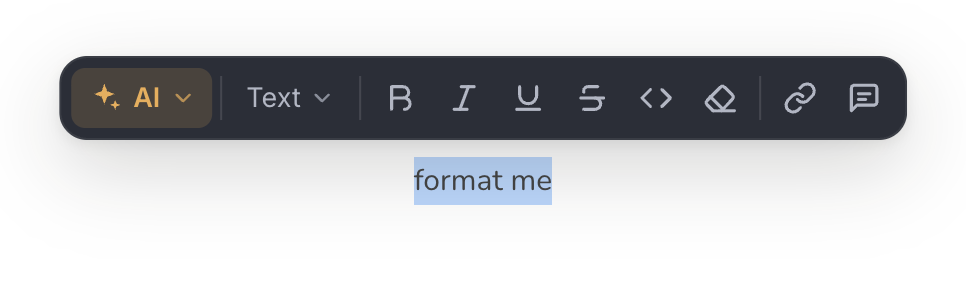
Using the toolbar you can do the following:
Bold
Italics
External link
Heading 2
Heading 3
Heading 4
Unordered list
Ordered list
Inline code
Comment
And you can use the AI Writer.
Tips & Tricks
Ordered List Numbering
In case you interrupt the ordering of a list by adding a block, you can resume the ordering by typing on a new line the number, dot and a space, such as 5. .
Furthermore, you can click on an ordered list's drag handle to set the start numbering.
Hungry for more?
If you need more formatting options, speak to us!
Anything missing? Leave us feedback