 Made in DeveloperHub
Supercharged plan users can integrate DeveloperHub with Google Analytics to track page views. You can use both Universal Analytics or Google Analytics 4 IDs.

Setting up Google Analytics
Open Project Settings → Integrations.
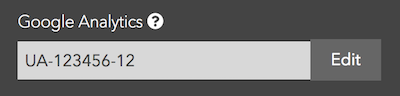
You should already have a property set up for the documentation subdomain on Google Analytics.
Paste the tracking code from Google Analytics. Universal Analytics IDs looks like
UA-XXXXXX-YY. Google Analytics 4 IDs look likeG-XXXXXXXX.Enter it in the input field and save.
Congratulations
You can now track page views on Google Analytics.
Anything missing? Leave us feedback